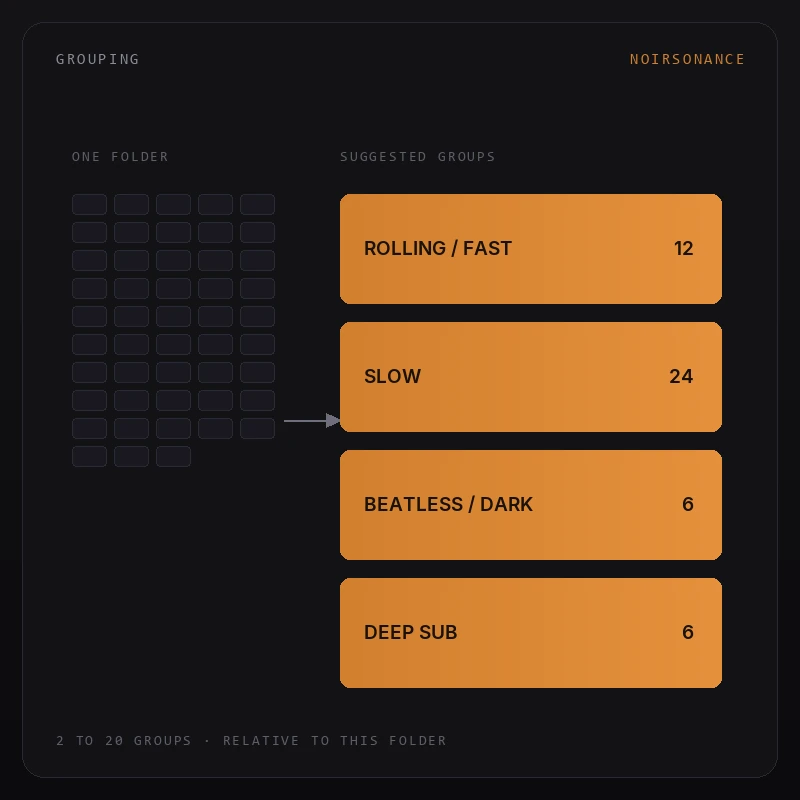
01
LIBRARY-RELATIVE GROUPING
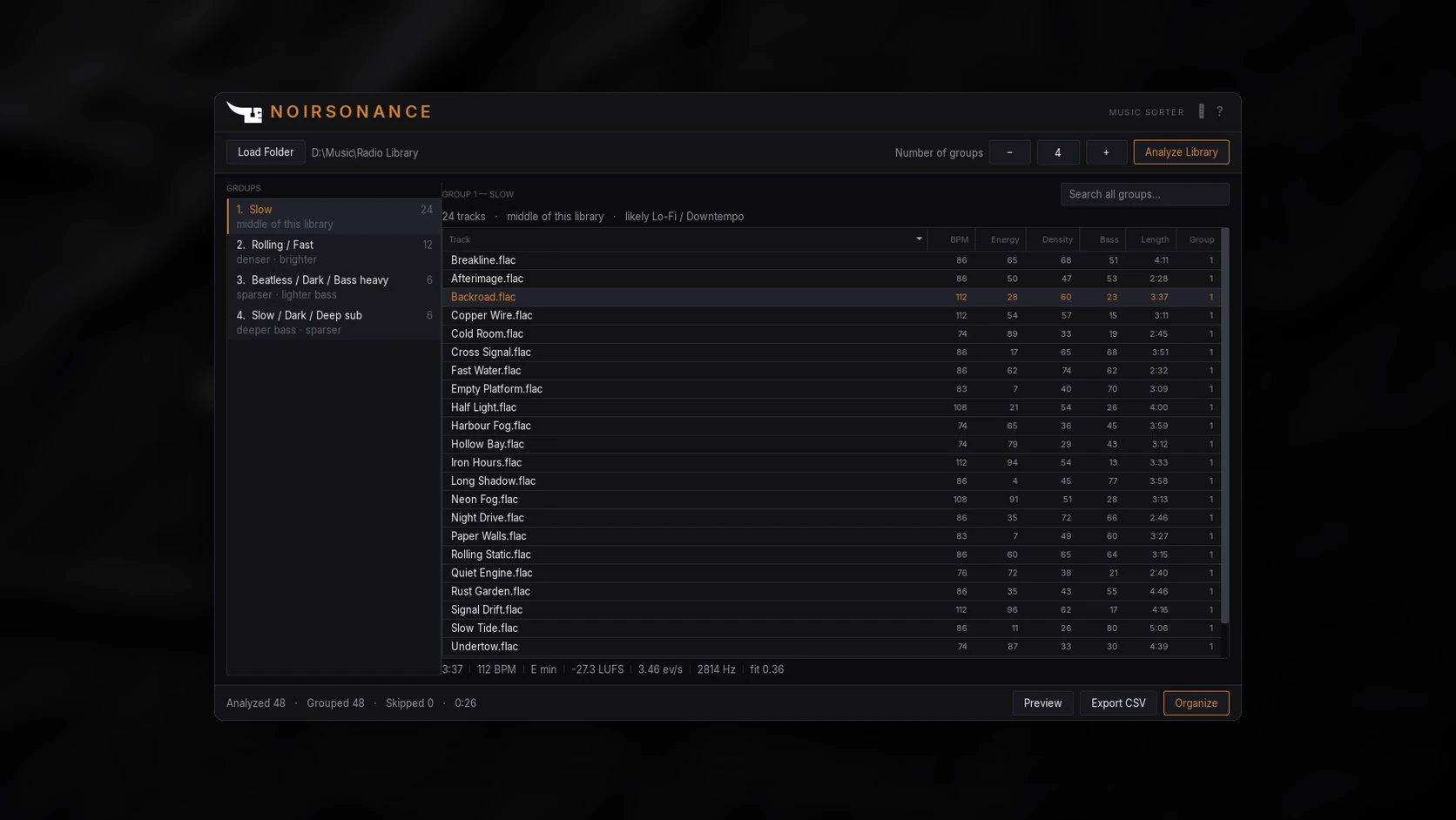
Choose from 2 to 20 groups based on similarities within your selected library. Energy, density and bass values show positions within that folder, rather than universal scores.

THE PRODUCT STORY
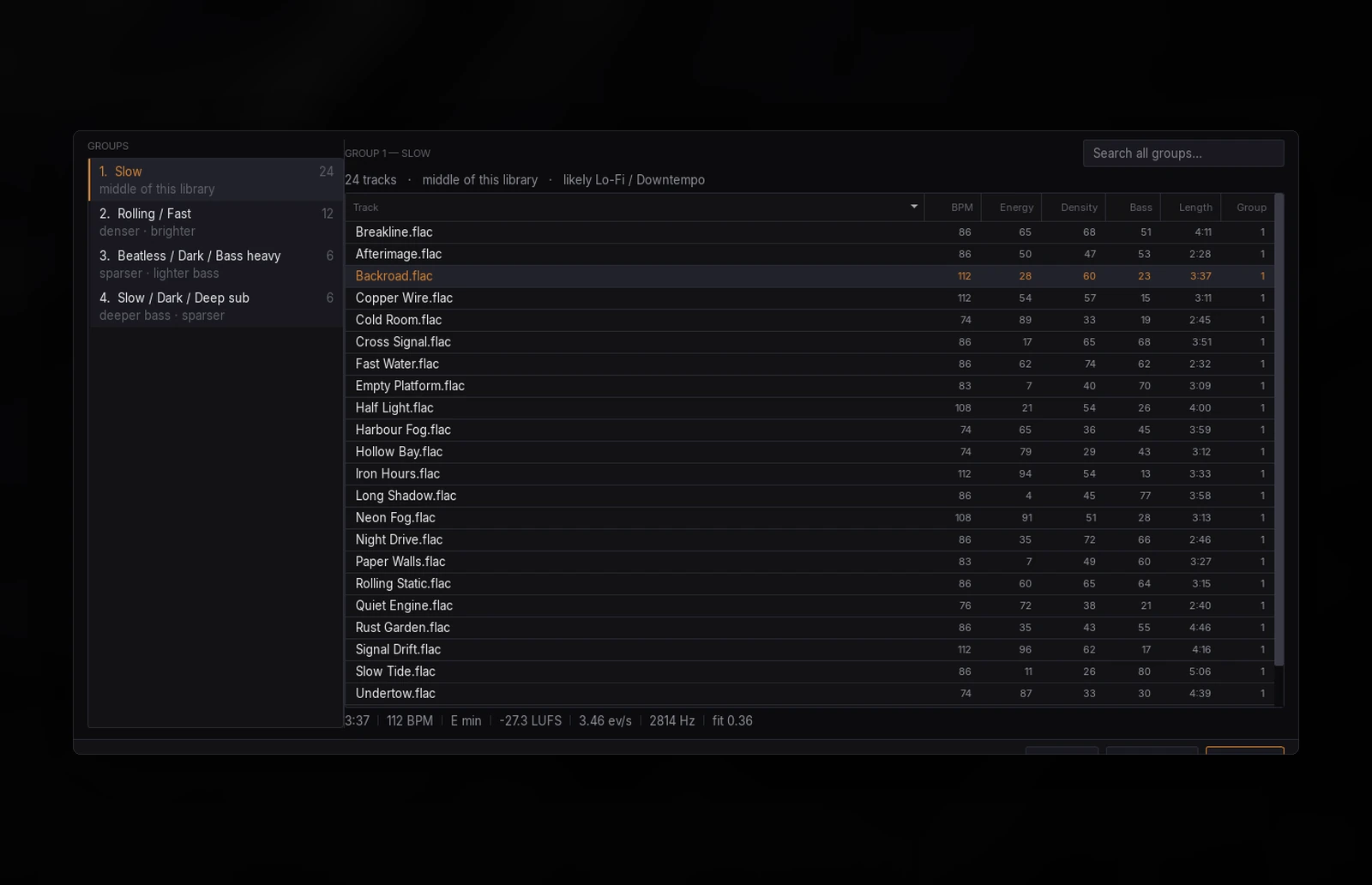
Analyze how the tracks in your folder differ, then start with suggested groups instead of sorting everything from scratch. Review the results and adjust them to fit your ears.
CORE CAPABILITIES
01
Choose from 2 to 20 groups based on similarities within your selected library. Energy, density and bass values show positions within that folder, rather than universal scores.
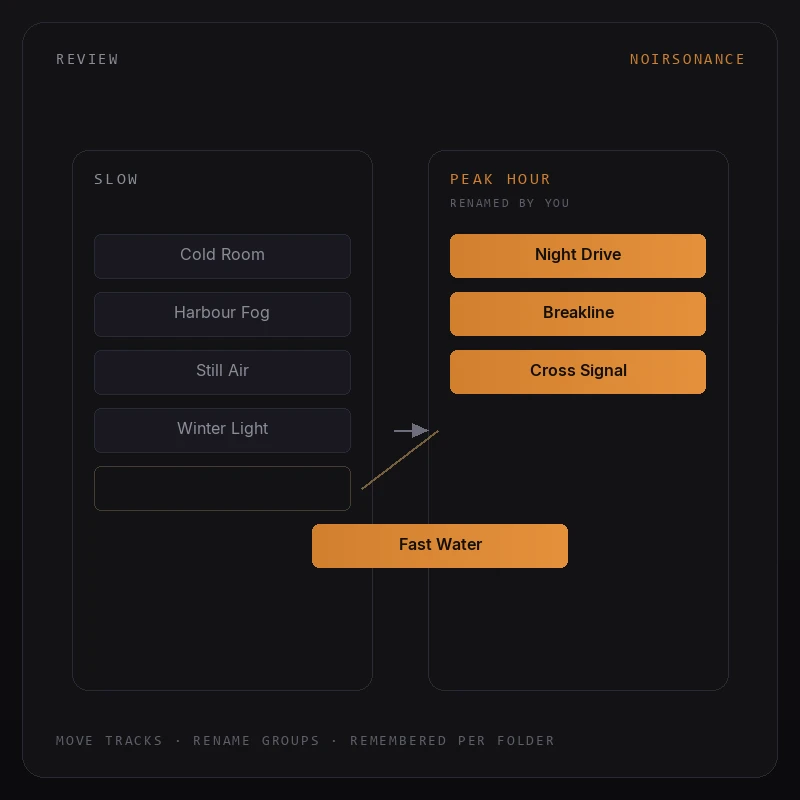
02
Review the suggested groups, move tracks between them and rename groups to suit your workflow. Your manual changes are remembered for that folder when its track set stays the same.
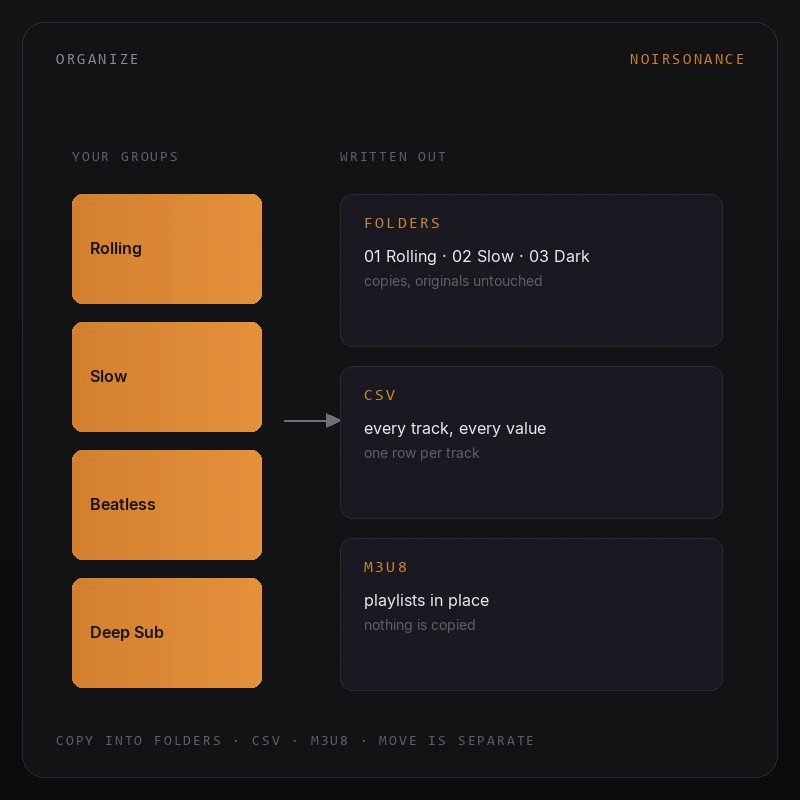
03
Export a CSV, create M3U8 playlists or organize tracks into folders. Copy is the default; moving files requires a separate confirmation. Preview the complete plan before anything is written.
Music Sorter measures similarities across the library you choose and suggests groups named for their sound. Change the group count after analysis and regroup from cached measurements without reading the audio again.
Suggested groups are a starting point. We do not guarantee 100% accuracy or a perfect match to how you hear your music. Review and refine the results: correcting a useful first pass can save time compared with sorting the entire library from scratch.
SEE IT IN MOTION
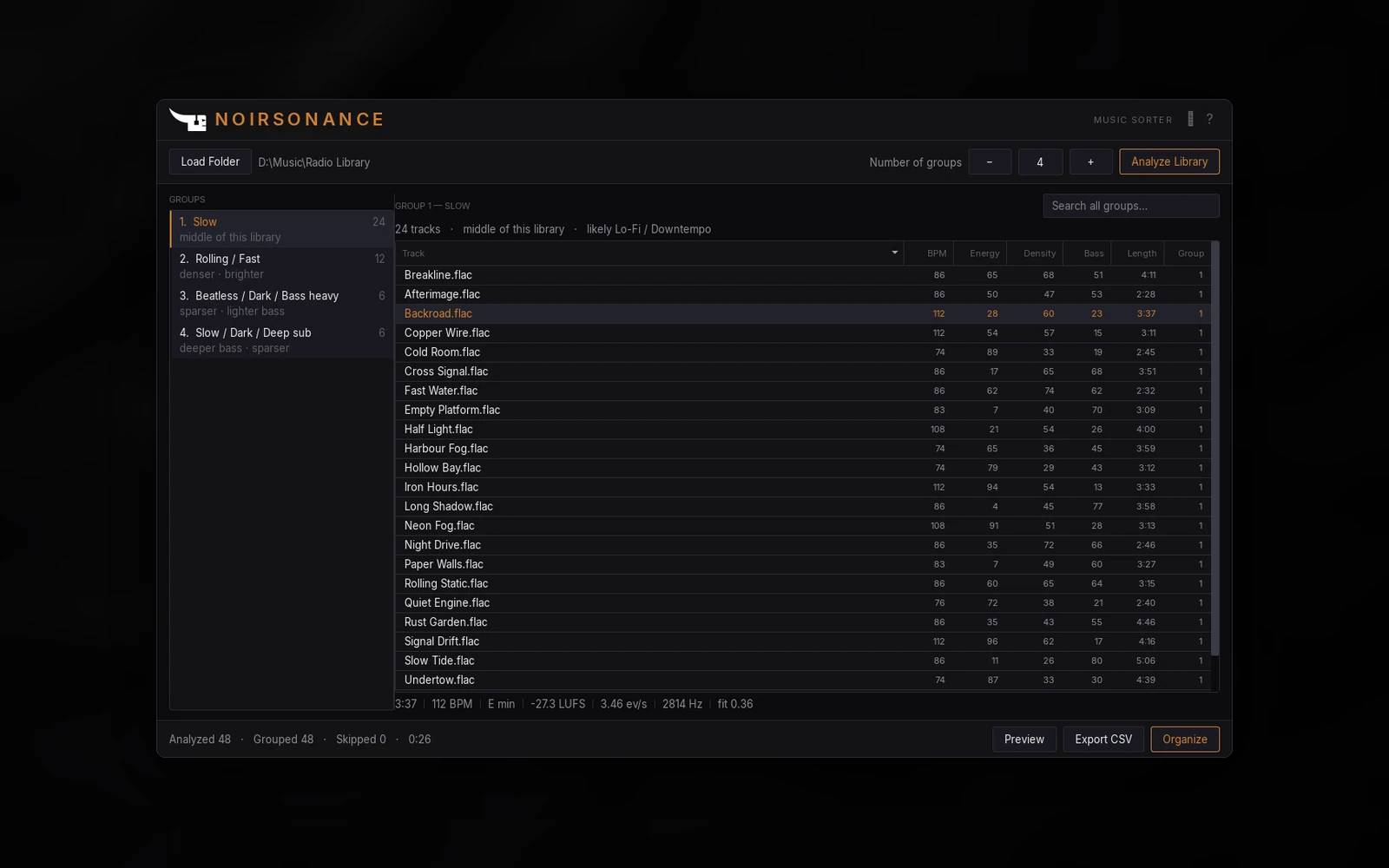
Load a folder. Choose a group count. Analyze Library. Review the suggested groups, then export or organize them your way.
WORKFLOW
Let Music Sorter suggest a structure for your music collection. You decide which groups make sense and what needs changing.
Choose the music folder you want to organize.
Choose 2–20 groups and measure similarities within your library.
Move tracks between groups and rename groups to fit your judgement.
Review the plan, then copy into folders, export CSV or create playlists.
DESIGNED FOR SPEED
Music Sorter helps you organize by similarity, without promising perfect results. It is not a genre classifier or an absolute energy rating. “Higher energy” means higher than the other tracks in the selected folder. Use your own judgement to refine the suggested groups before organizing.
TECHNICAL DETAILS
AVAILABLE NOW
€19.99 THROUGH 31 DECEMBER 2026
Suggested groups, manual refinement and flexible exports. A helping hand for organizing your library, with no guarantee of 100% accurate grouping.
Windows x64, macOS Apple Silicon and macOS Intel. One-time purchase, no subscription.
THE COMPLETE WORKFLOW
See the complete process: load your library, analyze similarities, refine groups and review the organization plan before exporting.